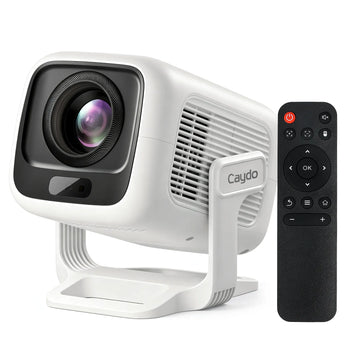
Proyector de pintura artística Caydo P2
No se pudo cargar la disponibilidad de retiro


Find the Right P-Series Projector for Your Art


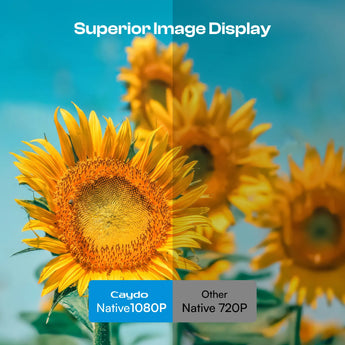
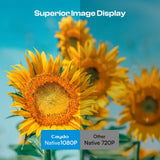
Native 1080P
Native 1080P
Native 720P
400 ANSI
250 ANSI
165 ANSI
40–120"
40–100"
30–100"
Brighter rooms & larger workspaces
Indoor studios & everyday spaces
Dimmer rooms & smaller workspaces
Large canvas, murals & detailed artwork
Everyday painting & medium-to-large projects
Tracing, smaller projects & casual creating
You want maximum brightness, size & detail
You want a balanced 1080P setup
You want an easy entry into digital projection
Q&A
How do I upgrade the drawing app on the projector? Do I need to pay for the new version?
App upgrades are pushed automatically—just agree when notified. You can also check manually in Settings > System > Upgrade. All new features remain free. No download or payment is needed.
What are the 4 drawing modes in the drawing app for?
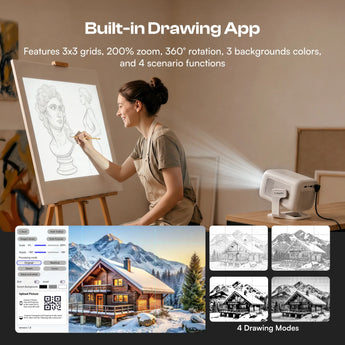
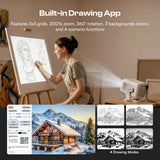
The 4 drawing modes are designed to intelligently process your original image by removing any irrelevant elements and transforming it into various styles. Each mode offers unique effects to help you achieve your artwork.
Is a PC required to transfer images?
No, now you can quickly transfer images from your phone to the projector by simply scanning the screen-on code within the drawing app.
How to transfer images without internet?
If you're in a location with no internet, simply save your images to a USB drive in advance, plug it into the projector, and you can access them directly from the built-in drawing app.
Can I trace without using the app?
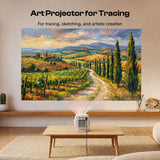
Yes, if you don't need image processing features, you can use screen mirroring to project images onto your surface for quick tracing.